Because color elevates the way manga is read and understood. CHROMANGA combines deep learning colorization with artistic intuition to preserve the creator's vision while amplifying its emotional power. Every chapter feels like an anime unfolding on the page. It feels familiar and yet electrifyingly new!
All major manga sites supported, and you can add your own.
Colorize chapters while staying on the original site. Seamless, instant, and magical.
Advanced deep learning models trained on thousands of colored manga panels.
Get your colorized manga in minutes, not hours or days.
The process is simple and fast:
Add it to your browser in one click. No sign-up required to get started.
Visit any of your favorite manga or manwha sites.
Click the CHROMANGA icon to transform the page into a cinematic, full-color experience without even leaving the site.
The first colorization of your session will have a one time warm-up (5 to 10 min) to configure the engine to your device's specifications. Following runs will be significantly faster!
See the transformation in action:
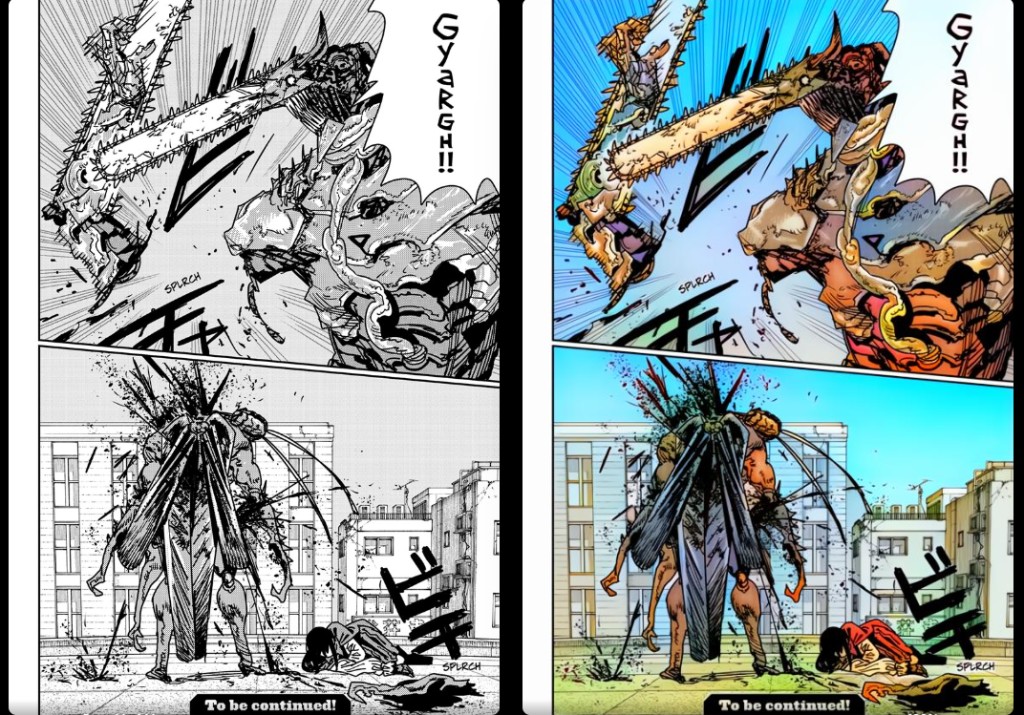
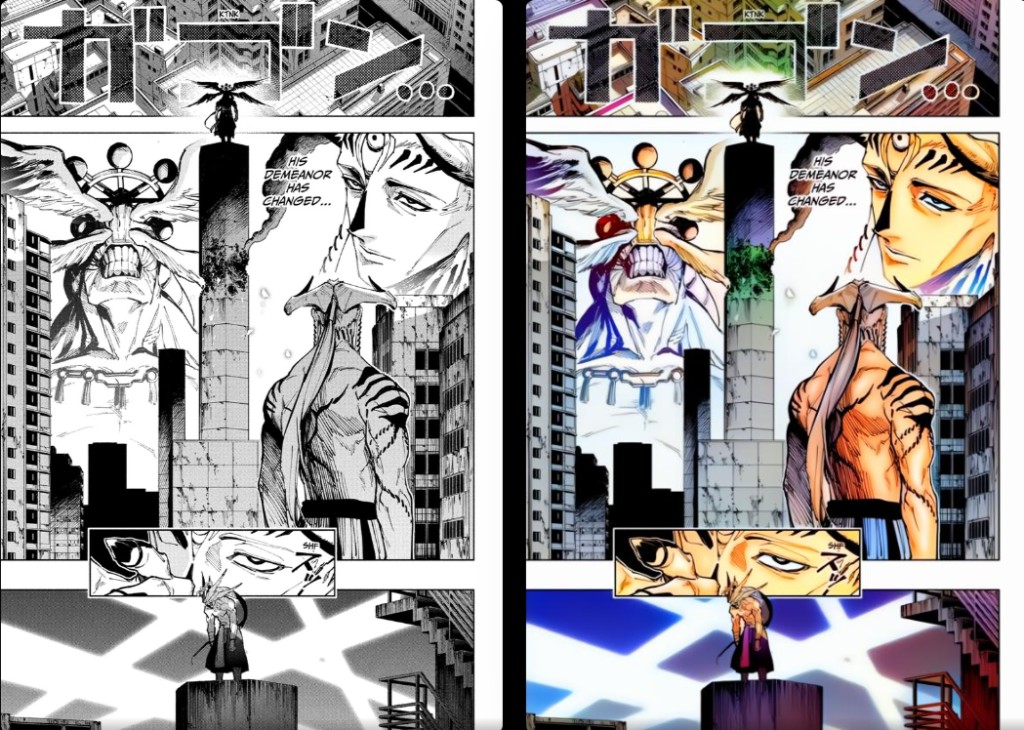
CHROMANGA was built initially because I wanted to be able to read Chainsaw Man and Jujutsu Kaisen in color, but I didn't want to stop there. My goal was simple: allow every reader to see their favorite stories in a new light. Whether you're revisiting a timeless classic or exploring a new release, CHROMANGA turns the monochrome past into a technicolor future.
Step into the next arc of manga reading now!
Experience the future of manga reading, built directly into your browser.
